 RingKeeper
Your customer list is already in your calls.
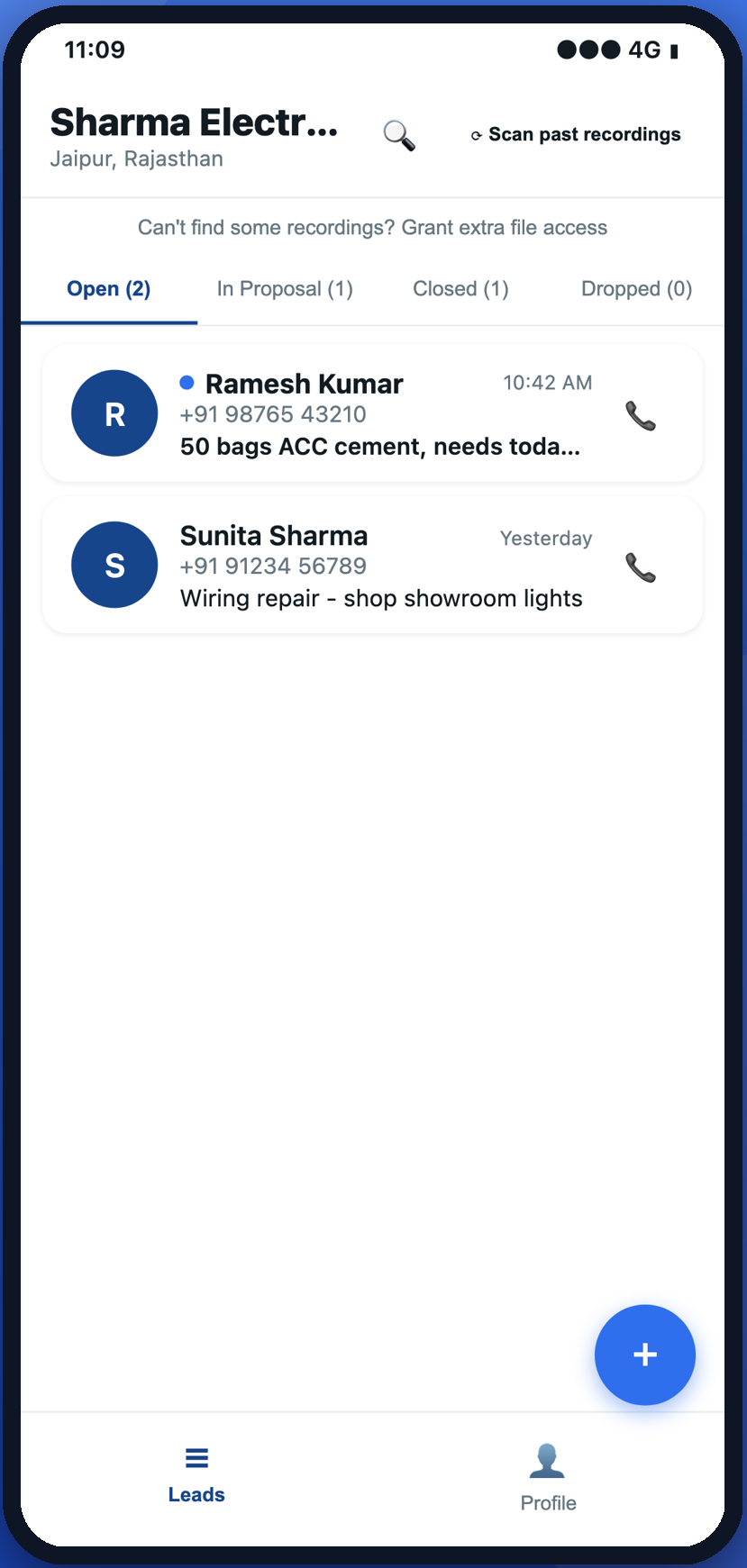
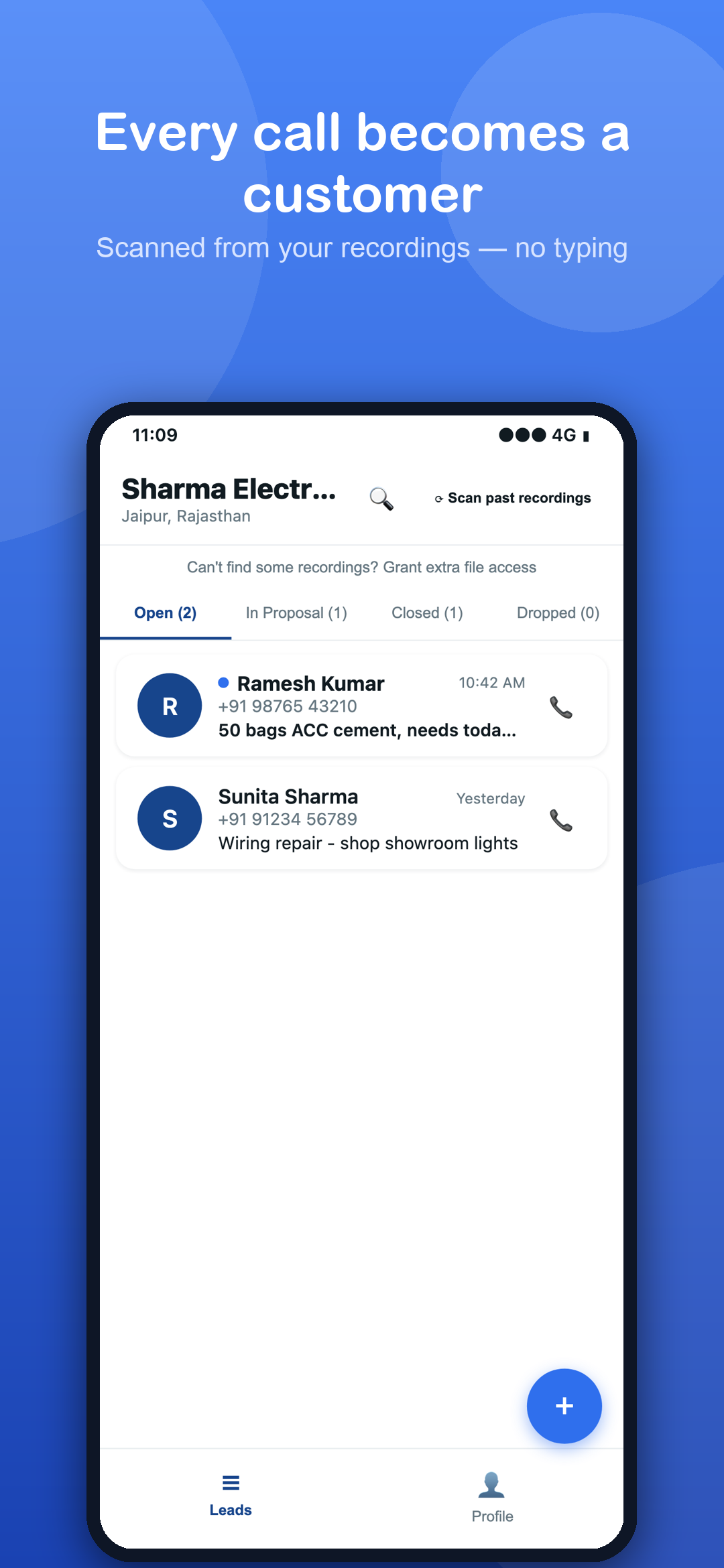
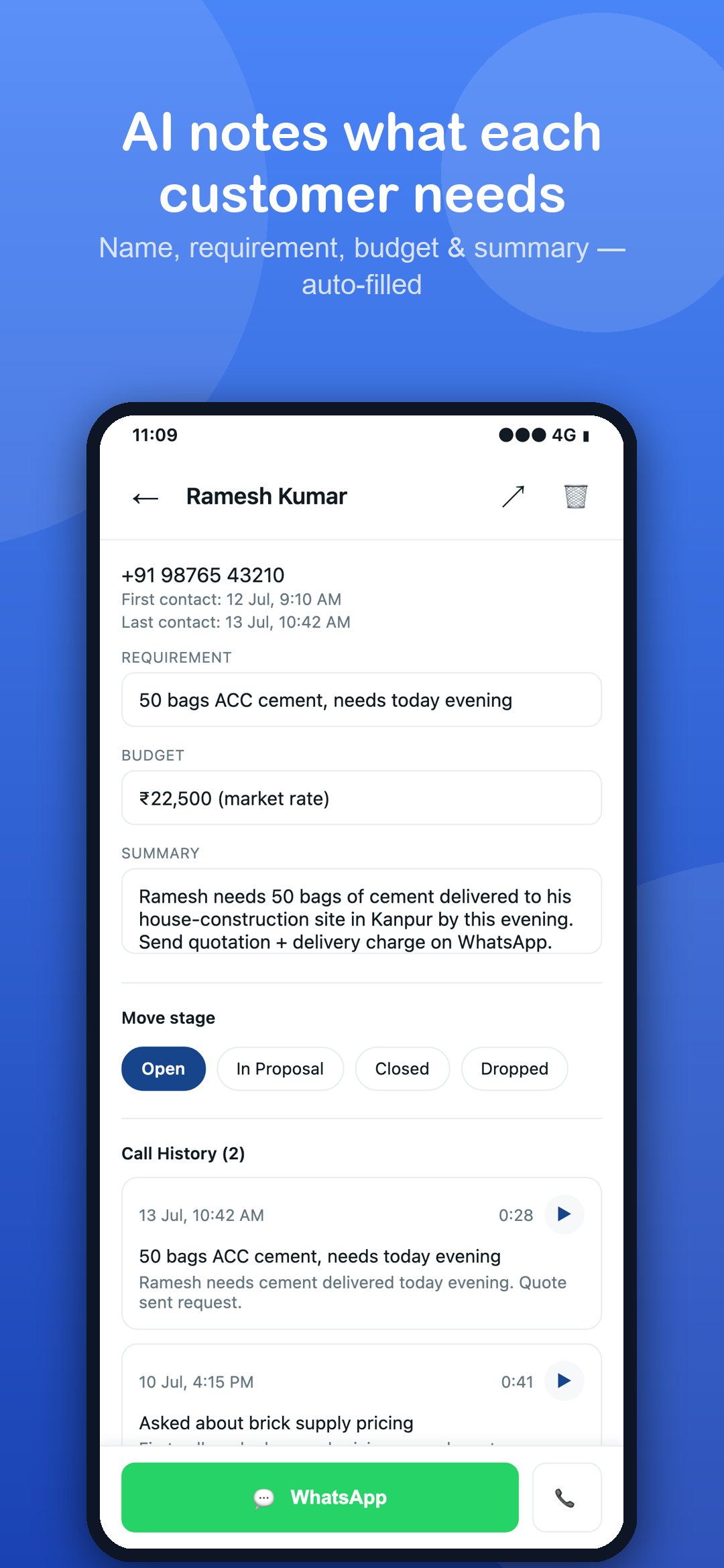
Your phone already records them. RingKeeper reads those recordings and builds the list for you — name, what they need, and their budget, filled in automatically. No new number, no typing.
Four steps, then it runs on its own
Keep call recording on
Use your phone's own dialer or recorder — built in on many Xiaomi, Vivo, Oppo and Realme phones.
RingKeeper reads them
It scans those recordings and pulls out the customer's name, number, requirement and budget.
Calls group by customer
Repeat callers build one full history instead of scattered, duplicate entries.
Follow up in one tap
Reach any customer on WhatsApp or by phone, straight from the app.
Stop scrolling your call log trying to remember who wanted what
- Automatic call-to-lead — leads are created and grouped for you, with no typing.
- AI reads every call — name, requirement, budget and a short summary, filled in automatically.
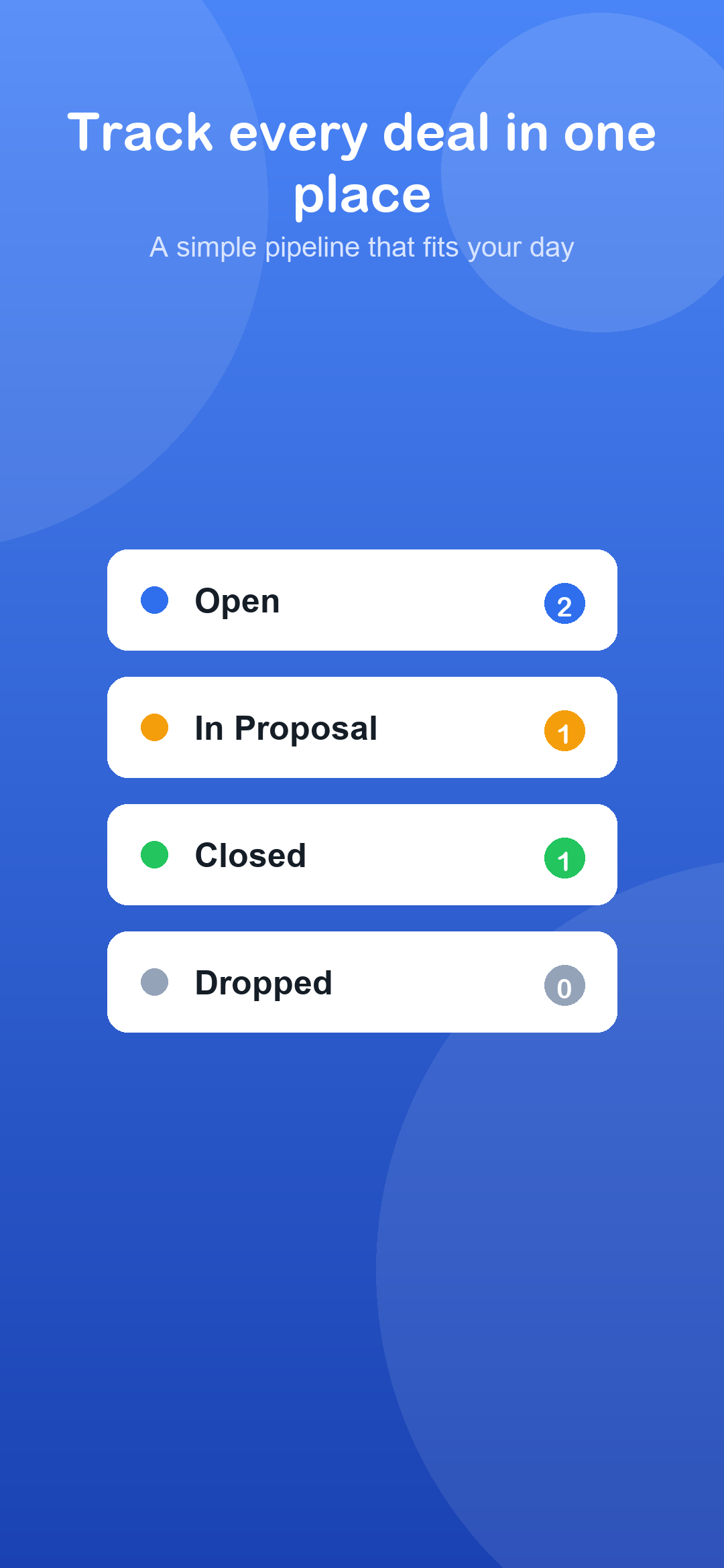
- Simple pipeline — Open, In Proposal, Closed, Dropped.
- One-tap follow-up — WhatsApp or call, from inside the app.
- Search and filter your whole customer list.
- Replay any past call from a customer's history.
- Works in Hindi and English.
- Private by design — your recordings never leave your device.
Built for people who run their business on the phone
Your recordings stay on your phone
RingKeeper never records a call itself, and we never store your audio on our servers.
Audio is never stored by us
A recording is sent to Google's Gemini API only at the moment it is analysed. Only the extracted text — name, number, requirement, budget, summary — is saved to your account.
No Call Log or SMS access
RingKeeper never asks for your call log or your messages. Contacts access is optional and used only to fill in a missing phone number.
No ads, no tracking
There is no advertising in the app and no third-party analytics or tracking SDKs. Your data is never sold.
Common questions
Does RingKeeper record my calls?
No. It only reads recordings your phone's own dialer or recorder has already saved. You need to switch call recording on yourself in your phone's settings.
Do I need a new phone number?
No. RingKeeper works with the number and the phone you already use.
What if my phone doesn't record calls?
Then RingKeeper has nothing to read. You can still add customers manually, but the automatic part depends on your phone's own recording feature.
How do I delete my data?
Email us and we'll delete your account and everything associated with it. See the support page for the steps.
Stop losing customers in your call log.
Works with the number you already give out. Nothing to type.